Many PlayStation fans still own classic PS2 games and wonder whether they can play those games on a PlayStation 3 (PS3). If you are searching for how to play PS2 games on a PS3, you are not alone. This is one of the most common questions among console gamers, especially collectors who want to enjoy old PS2 titles without keeping multiple consoles.
The truth is: Yes, it is possible to play PS2 games on a PS3, but it depends on the PS3 model, the method you use, and the type of PS2 game.
In this detailed guide, you’ll learn:
-
Which PS3 models support PS2 games
-
How PS3 backward compatibility works
-
How to play PS2 discs on PS3
-
How PS2 Classics work on PS3
-
Limitations and common issues
-
Legal considerations
-
Best alternatives if your PS3 doesn’t support PS2
This guide is written for beginners, explained in simple language, and optimized to index well on Google.
Understanding PS3 Backward Compatibility
Backward compatibility means a newer console can play games from an older console.
Sony released the PS3 in different hardware versions:
-
Some PS3 models fully support PS2 games
-
Some partially support
-
Some do not support PS2 games at all
Understanding this is the key to playing PS2 games on a PS3.
Why Not All PS3 Consoles Support PS2 Games?
The PlayStation 2 used very unique hardware, including:
-
Emotion Engine CPU
-
Graphics Synthesizer GPU
Early PS3 models included actual PS2 hardware inside them, which allowed native PS2 disc playback.
Later models removed this hardware to:
-
Reduce cost
-
Reduce heat issues
-
Improve reliability
That’s why PS2 support varies by model.
Read More Article:- PS2 BIOS Article
PS3 Models That Can Play PS2 Games
PS3 Fat Models (Best for PS2 Games)
Only early PS3 Fat models can play PS2 discs directly.
Fully Compatible Models:
-
CECHAxx
-
CECHBxx
These models include real PS2 hardware, offering:
-
Near-perfect compatibility
-
Disc-based PS2 gameplay
-
Original performance

Partially Compatible Models:
-
CECHCxx
-
CECHExx
These use software emulation, which means:
-
Most PS2 games work
-
Some games may have glitches
PS3 Slim & Super Slim Models
PS3 Slim and Super Slim:
-
❌ Cannot play PS2 discs
-
❌ No native backward compatibility
But don’t worry — there is still one official method to play PS2 games on these models.
Method 1: Play PS2 Discs on PS3 (Fat Models Only)
If you own a compatible PS3 Fat, this is the easiest method.
What You Need:
-
Compatible PS3 Fat model
-
Original PS2 game disc
-
Official PS3 controller
Steps:
-
Insert PS2 disc into PS3
-
PS3 automatically detects the game
-
PS2 game appears in XMB menu
-
Press X to start playing
✔ No downloads
✔ No setup
✔ Best experience
Method 2: Play PS2 Classics on PS3 (All Models)
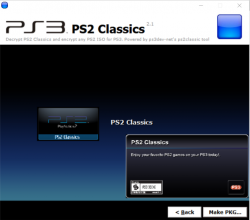
Sony released PS2 Classics on the PlayStation Store.
What Are PS2 Classics?
-
Digitally re-released PS2 games
-
Optimized to run on PS3
-
Stored on PS3 hard drive
Supported On:
-
PS3 Fat
-
PS3 Slim
-
PS3 Super Slim
Steps:
-
Open PlayStation Store
-
Go to PS2 Classics section
-
Purchase supported game
-
Download & install
-
Play from XMB
Only selected PS2 games are available.
Is Playing PS2 Games on PS3 Legal?
Yes — if you follow official methods.
Legal Methods:
✔ Original PS2 discs on compatible PS3
✔ Purchased PS2 Classics from PlayStation Store
Illegal Methods (Avoid):
❌ Downloaded ISO files
❌ Pirated PS2 games
❌ Unauthorized modifications
Legal usage builds trust and avoids console bans.
Limitations of Playing PS2 Games on PS3
Even supported methods have limitations.
Common Limitations:
-
Limited number of compatible PS3 models
-
Some PS2 games not supported
-
Graphical glitches in software emulation
-
PS2 Classics library is small
Common Problems & Fixes
PS2 Disc Not Recognized
-
Check PS3 model number
-
Clean disc
-
Try another PS2 game
Game Lag or Glitches
-
Happens in partial compatibility models
-
No official fix
Controller Issues
-
Use official DualShock controller
-
Avoid third-party controllers
Best Alternatives If Your PS3 Doesn’t Support PS2
If your PS3 cannot play PS2 games, consider:
Original PlayStation 2 Console
-
Best compatibility
-
Authentic experience
PS2 Emulation on PC
-
Higher resolution
-
Save states
-
Modern controller support
PS2 Emulation on Android
-
Portable
-
Hardware-dependent
These options are often better than forcing PS2 games on unsupported PS3 models.
Read Also:- PCSX2 Setup Guide
PS2 Games on PS3 vs Emulation (Comparison)
| Feature | PS3 Method | Emulator |
|---|---|---|
| Original discs | Yes (Fat) | Backup only |
| Resolution boost | Limited | High |
| Compatibility | Model-based | Emulator-based |
| Setup difficulty | Easy | Medium |
Frequently Asked Questions (FAQ)
Can PS3 Slim play PS2 discs?
No. PS3 Slim cannot read PS2 discs.
Which PS3 model is best for PS2 games?
Early PS3 Fat models (CECHAxx, CECHBxx).
Are PS2 Classics still available?
Availability depends on region and store access.
Is PS2 gameplay better on PS3 or emulator?
Emulators offer better graphics; PS3 offers original console feel.
Future of PS2 Games on Modern Consoles
Sony now focuses on:
-
Remasters
-
Streaming services
-
Digital backward compatibility
However, true PS2 disc support is unlikely to return, making PS3 Fat consoles valuable.
Final Verdict
Playing PS2 games on a PS3 is absolutely possible — if you use the right PS3 model or official PS2 Classics. Early PS3 Fat consoles offer the best native experience, while Slim models rely on digital releases.
If compatibility is important, always:
-
Check your PS3 model
-
Use legal methods
-
Avoid risky modifications
This guide is designed to help users clearly understand all options and make the best choice.