If you are trying to run PlayStation 2 games on a PC using an emulator like PCSX2, the first and most important term you will encounter is PS2 BIOS. Many users search for PS2 BIOS without fully understanding what it actually is, why it is required, how it works with PCSX2, and whether using it is legal.
In simple terms, PS2 BIOS is the core system software of the PlayStation 2 console. Without it, neither the original PS2 hardware nor emulators like PCSX2 can function correctly.
In this detailed guide, you will learn everything about PS2 BIOS — from basic concepts to advanced technical details — written in simple language for beginners and structured for fast Google indexing.
What You’ll Learn in This Article
-
What PS2 BIOS really is
-
Why PS2 BIOS is mandatory for PCSX2
-
How PS2 BIOS works internally
-
PS2 BIOS regions and versions
-
PS2 BIOS file types explained
-
Legal facts you must know
-
Common PS2 BIOS errors & fixes
-
Best practices for safe usage
What Is PS2 BIOS?
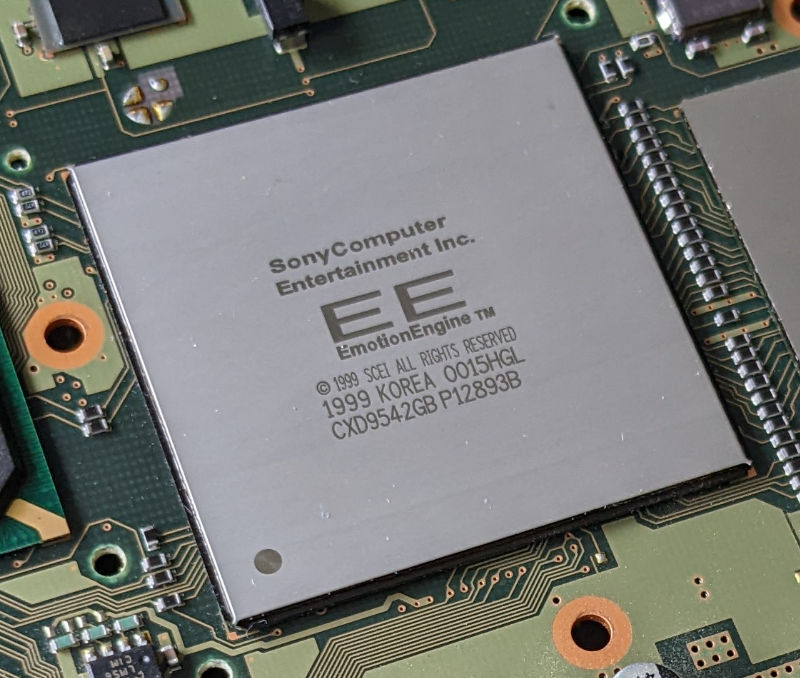
PS2 BIOS (Basic Input Output System) is the official firmware built into every Sony PlayStation 2 console. It is a low-level system program stored on a chip inside the PS2 hardware.
In very simple words:
PS2 BIOS is the “brain” that tells the PlayStation 2 how to start, how to load games, and how to manage system functions.
Without PS2 BIOS:
-
The PlayStation 2 console cannot boot
-
Games cannot load
-
Memory cards cannot function
-
System menu will not appear
The same applies to emulation.
Why Is PS2 BIOS Required for PCSX2?
PCSX2 is a PlayStation 2 emulator, not a replacement for Sony’s firmware. To accurately recreate PS2 hardware behavior, PCSX2 relies on PS2 BIOS.
PS2 BIOS helps PCSX2 to:
-
Boot the virtual PS2 system
-
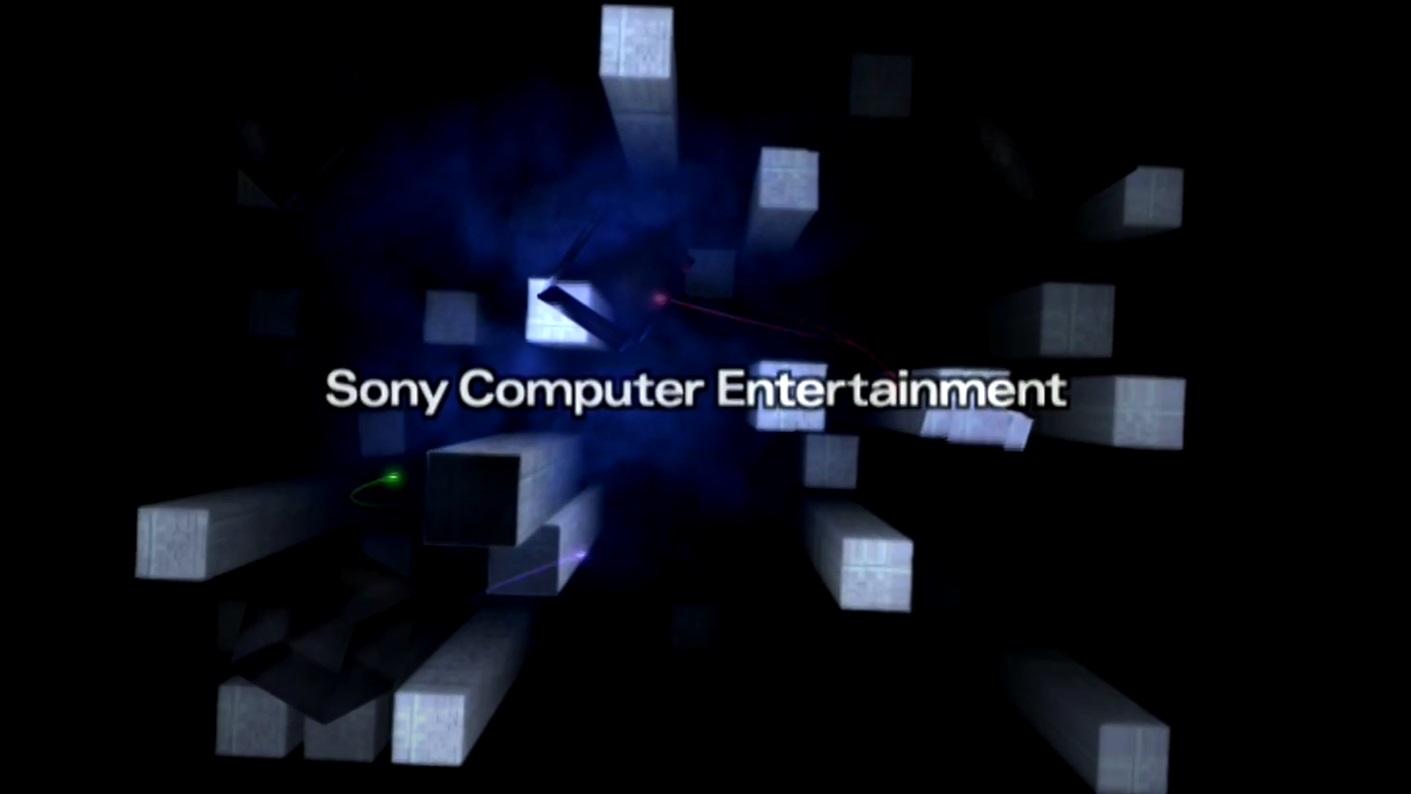
Display PS2 startup animation
-
Initialize CPU, GPU, and memory
-
Handle controller & memory card logic
-
Run games exactly like real PS2
Without BIOS, PCSX2 cannot legally or technically reproduce Sony’s system environment.
That’s why PCSX2 shows errors like:
-
“BIOS not found”
-
“System failed to initialize”
How PS2 BIOS Works (Technical but Simple)
When you launch PCSX2:
-
PCSX2 loads the PS2 BIOS files
-
BIOS initializes system components
-
A virtual PlayStation 2 environment is created
-
BIOS hands control to the game
-
Game runs inside the emulator
Think of it like this:
PCSX2 = hardware emulator
PS2 BIOS = system software
Both are required.
Also Read:- PCSX2 Setup Guide
PS2 BIOS Regions Explained
Just like PS2 games, BIOS files are region-specific.
Common PS2 BIOS Regions
-
USA (NTSC-U)
-
Europe (PAL)
-
Japan (NTSC-J)
Each region BIOS was designed for consoles sold in that area.
Which PS2 BIOS Region Is Best?
For PCSX2:
-
USA BIOS – Most compatible
-
Europe BIOS – Very stable
-
Japan BIOS – Works but fewer games
PS2 BIOS Versions & SCPH Models
Each PS2 console model has a unique BIOS version, identified by SCPH numbers.
Examples:
-
SCPH-30001
-
SCPH-39001
-
SCPH-50000
-
SCPH-70012
-
SCPH-90001
Which BIOS Version Should You Use?
-
Newer versions = better compatibility
-
SCPH-39001 and above are most commonly used
PS2 BIOS File Types Explained
A PS2 BIOS folder usually contains multiple files:
| File Type | Purpose |
|---|---|
.bin |
Main BIOS firmware |
.rom |
ROM data |
.nvm |
System configuration |
.mec |
Memory controller |
Never rename, delete, or modify these files.
All files work together as a single BIOS system.
Is PS2 BIOS Legal?
This is the most important question.
The Legal Truth
-
PS2 BIOS is copyrighted software owned by Sony
-
Downloading PS2 BIOS from the internet is illegal
-
Sharing PS2 BIOS files is copyright infringement
Legal Way to Use PS2 BIOS
✔ Dump the BIOS from your own PlayStation 2 console
This website does not provide PS2 BIOS downloads.
All information is for educational purposes only.
Common PS2 BIOS Errors in PCSX2 (And Fixes)
1. BIOS Not Found
Cause: BIOS folder not selected
Fix:
-
Go to PCSX2 → BIOS Settings
-
Select correct BIOS directory
2. Black Screen on Boot
Cause: Wrong BIOS or renderer issue
Fix:
-
Try another BIOS region
-
Switch to DirectX / Vulkan
3. Emulator Crash
Cause: Corrupted BIOS files
Fix:
-
Use clean BIOS dump
-
Reset emulator settings
Best Practices for Using PS2 BIOS Safely
-
Always use legally obtained BIOS
-
Keep a backup copy
-
Avoid “PS2 BIOS download” scam sites
-
Use official PCSX2 builds
-
Don’t mix files from different BIOS versions
PS2 BIOS vs PS2 Games (Important Difference)
Many beginners confuse these two.
| PS2 BIOS | PS2 Games |
|---|---|
| System firmware | Game software |
| Required to boot | Required to play |
| Same for all games | Different per game |
Both are needed, but they serve completely different purposes.
Can PCSX2 Work Without PS2 BIOS?
Short answer: No.
Some experimental emulators try BIOS replacements, but:
-
Game compatibility is very poor
-
Accuracy is low
-
Many features break
For real PS2 emulation, BIOS is mandatory.
Future of PS2 BIOS & Emulation
PS2 emulation continues to improve because:
-
Modern CPUs are powerful
-
GPU drivers are better
-
Emulators are more optimized
But PS2 BIOS will always remain essential, because it represents Sony’s original system logic.
Also Read:- PS2 BIOS Usage Guide
Frequently Asked Questions (FAQ)
What is PS2 BIOS in simple words?
PS2 BIOS is the system software that allows a PlayStation 2 console or emulator to function.
Is PS2 BIOS required for PCSX2?
Yes, PCSX2 cannot work without PS2 BIOS.
Can one PS2 BIOS run all games?
Yes, one BIOS works for all PS2 games.
Which PS2 BIOS region is best?
USA or Europe BIOS versions are recommended.
Final Words
Understanding what PS2 BIOS is is the foundation of PlayStation 2 emulation. Without BIOS, emulators like PCSX2 cannot function correctly. This guide was written to give you clear, legal, and beginner-friendly knowledge, without misleading downloads or unsafe advice.
If you are serious about PS2 emulation, always:
-
Learn first
-
Follow legal guidelines
-
Use trusted tools